Role
Senior UI/UX DesignerEnd-to-end · research → delivery
The Data & Analytics Marketplace (DPM) is a centralized platform that streamlines how employees discover, govern, and use data assets — turning scattered, opaque data into a browsable, trustworthy, self-service ecosystem.
PrototypeThis case study outlines the development and implementation of the Data & Analytics Marketplace — a centralized platform designed to streamline how employees discover, govern, and utilize data assets within the organization.
The product brings consumers, data owners, and governance into one experience: people can find data products, templates, and proven use cases, understand whether they can trust them, and acquire them through a governed, self-service flow — without the duplicated effort and blind access requests that defined the old way of working.
Before the marketplace, data was an asset the organization owned but couldn't easily put to work. Three pain points compounded each other:
The primary pain point. Employees were often unaware of what data products existed at all, or of how to find the ones they needed.
Teams repeatedly rebuilt work because they had no visibility into existing solutions or the use cases other departments had already developed.
With no transparency into data quality, schema, or lineage, users had to request access blindly — never knowing if the data was fit for their purpose.
Role-based access control shaped the product from the ground up: each role gets its own UI and capabilities, so the same platform serves the person consuming data, the person accountable for it, and the person administering the whole ecosystem.
Five core requirements anchored the work — each one targeting a specific gap from the problem above.
A Discovery Catalog using product cards and tiles, with AI-powered search to browse active data products.
Detailed overview pages with business descriptions, Data Quality (DQ) scores, schema visibility — including PII and Confidential classification — and data lineage.
A shopping-cart experience that lets users bundle multiple products and templates into a single request.
A mandatory approval chain — the Reporting (1-Up) Manager, followed by the Data Product Owner.
Distinct UIs and capabilities for Data Consumers, Data Owners, and Marketplace Admins.
The platform answers each pain point with a dedicated capability, organized into three pillars: discovery and context, governed acquisition, and value-add services. The screens below are from the shipped product.
Users explore a hierarchical catalog of Data Products, Templates, and Use Cases. Use cases are the differentiator: by surfacing approaches other teams have already built, they let people reuse instead of rebuild — directly cutting duplication. Personalization and transparent metadata make discovery fast and trustworthy.
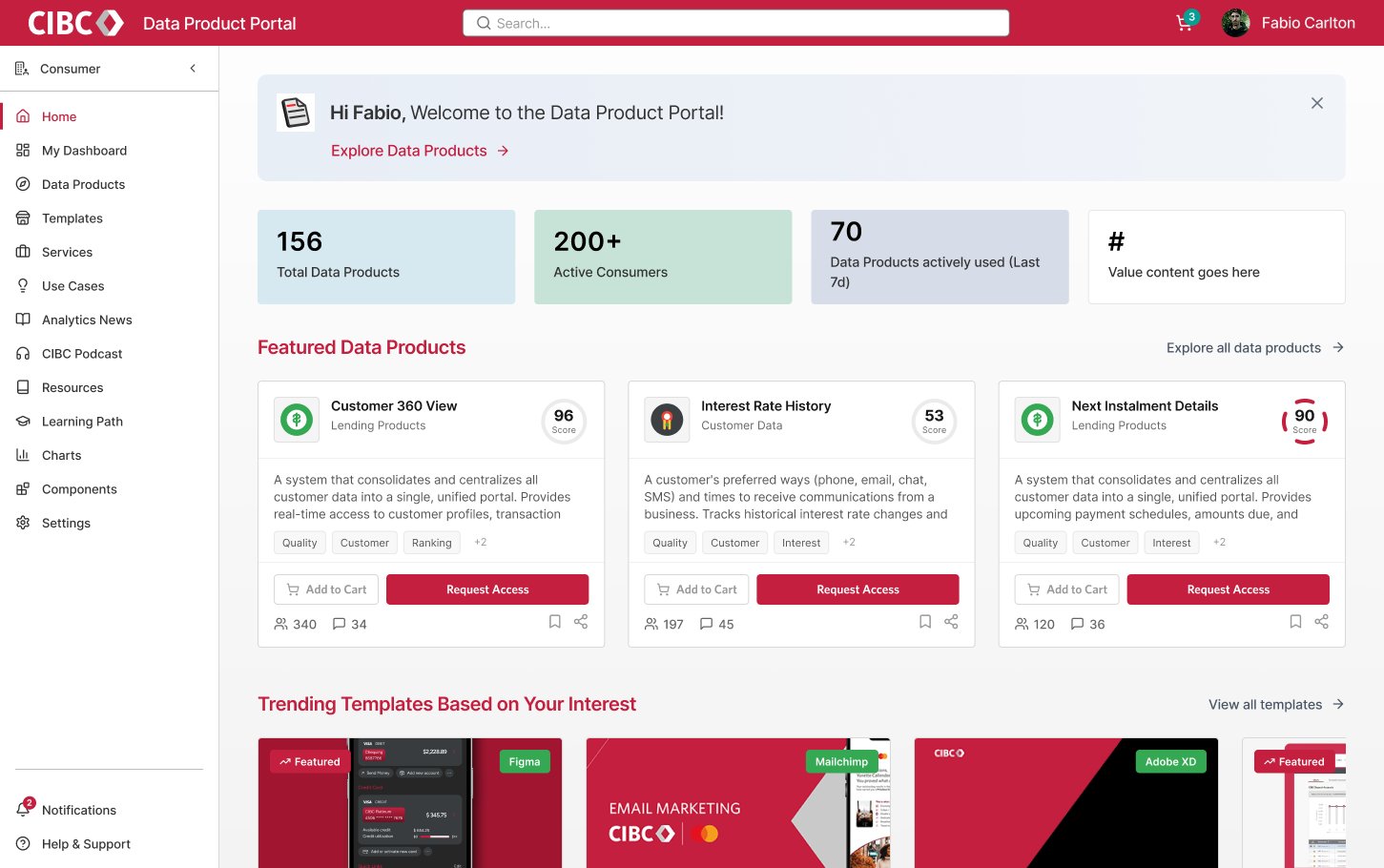
Featured data products lead with their quality score, and templates surface by the user's stated interests — so discovery opens with trusted, relevant options instead of a blank search box. Add to Cart and Request Access sit right on each card.
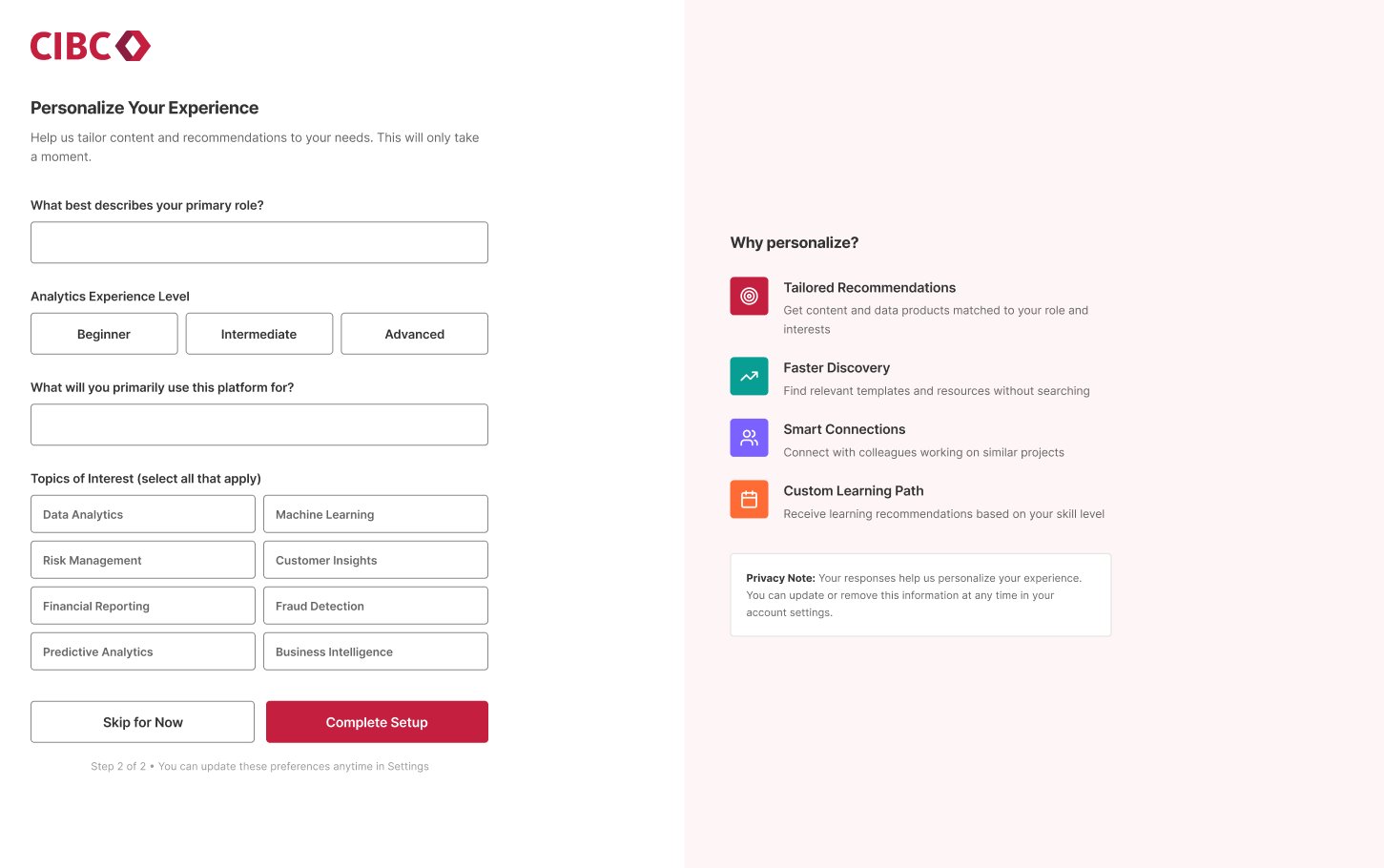
A short setup records role, analytics skill level, and topics of interest — the signals that power the home page's recommendations, faster discovery, and a tailored learning path.
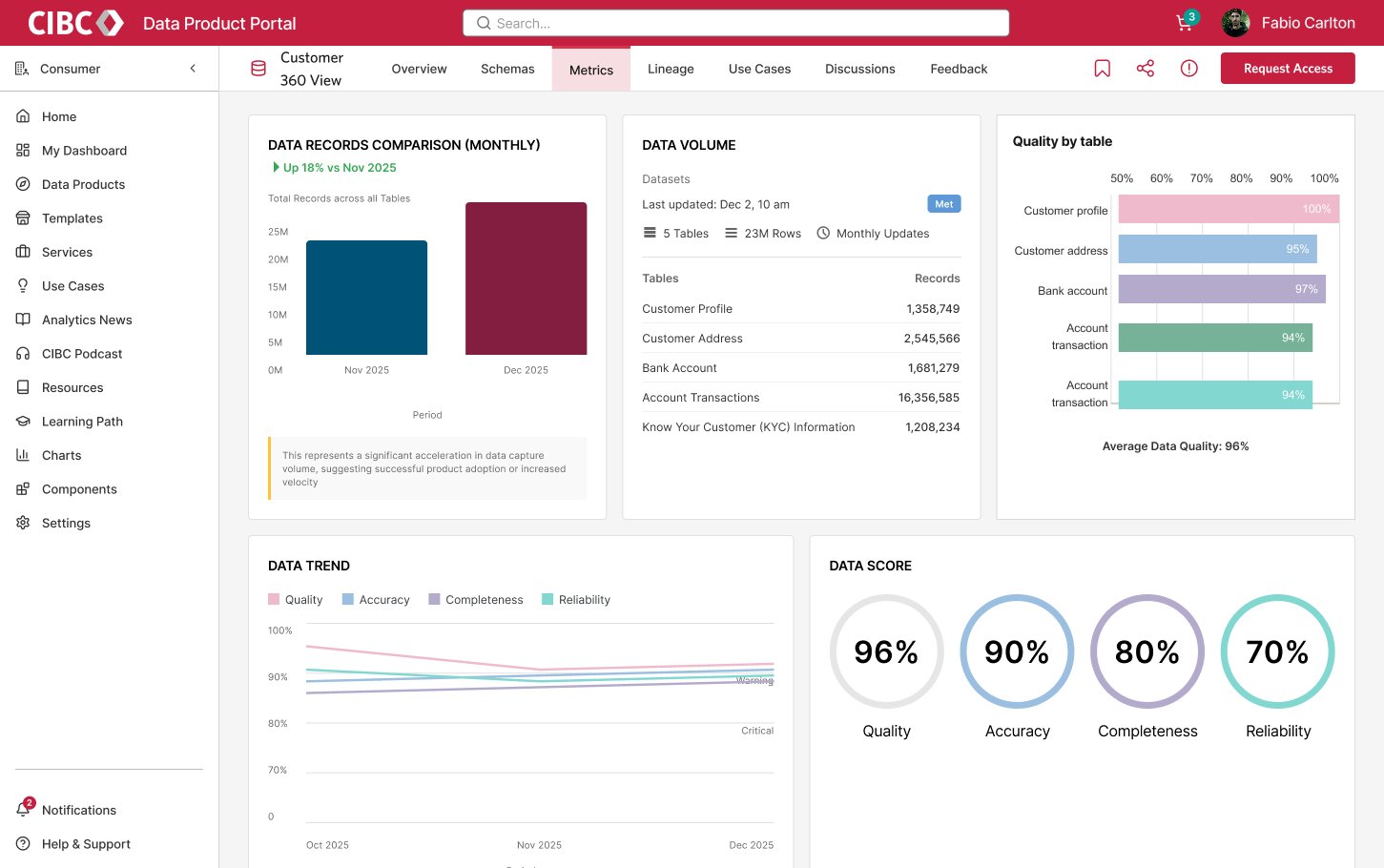
Before requesting anything, users see DQ scores, per-table quality, data volume and trend, with tabs for schema, lineage, and use cases — turning “is this fit for purpose?” into a visible answer.
Acquiring data works like a governed checkout: users bundle products and templates into a cart, give a business justification, and pick a target analytics platform such as Databricks or Power BI. Workday / O365 integration routes the request to the right manager, and it moves through a clear two-step approval chain — Reporting (1-Up) Manager, then Data Product Owner.
Bundle products & templates into one request
Justification + platform (Databricks, Power BI)
Routing automated via Workday / O365
Owner approves and grants access
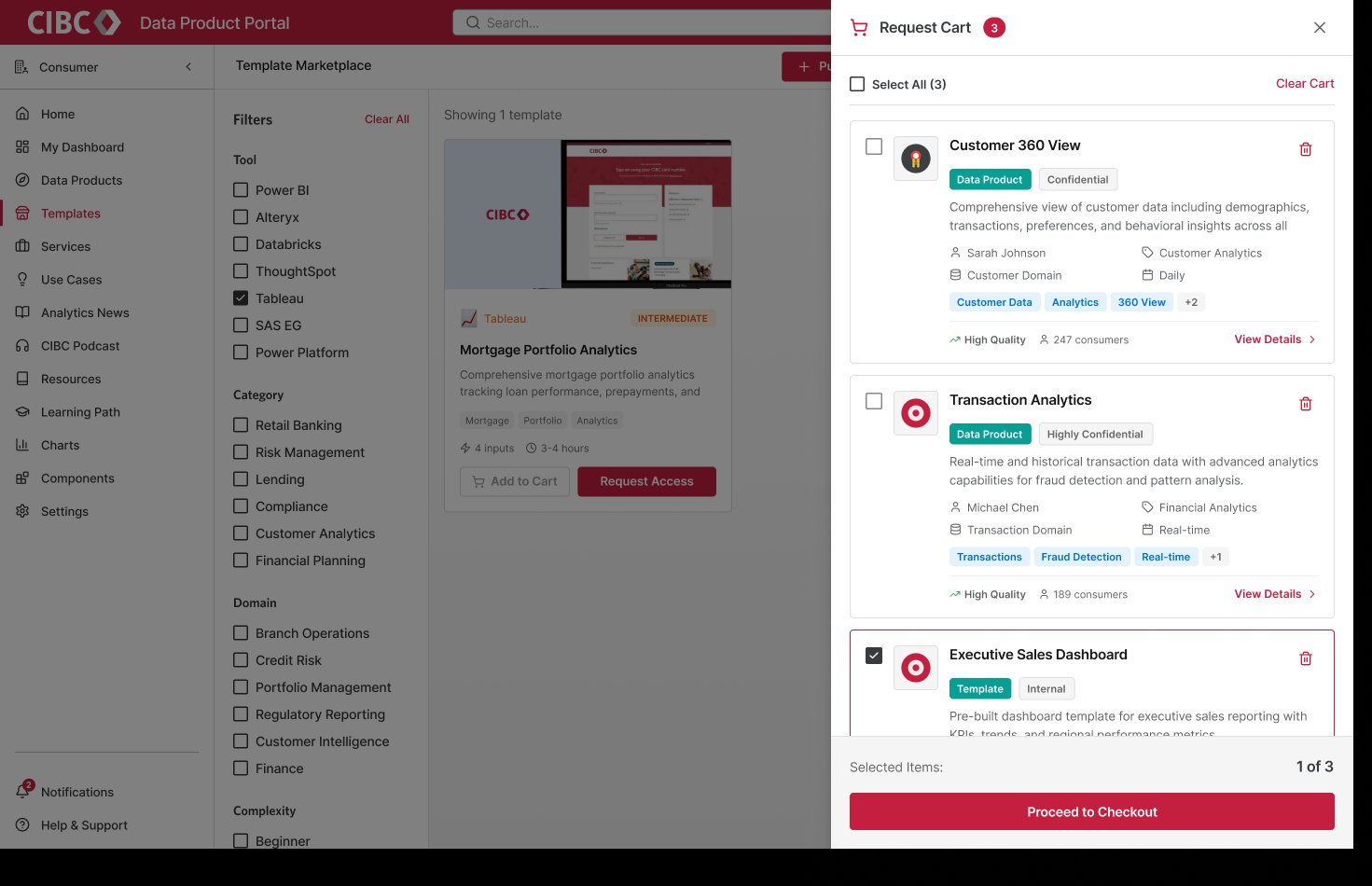
Data products and templates collect in one Request Cart — each showing sensitivity (Confidential, Highly Confidential, Internal), quality, and consumer count — so a user checks out a whole analytics need in a single governed request instead of chasing access item by item.
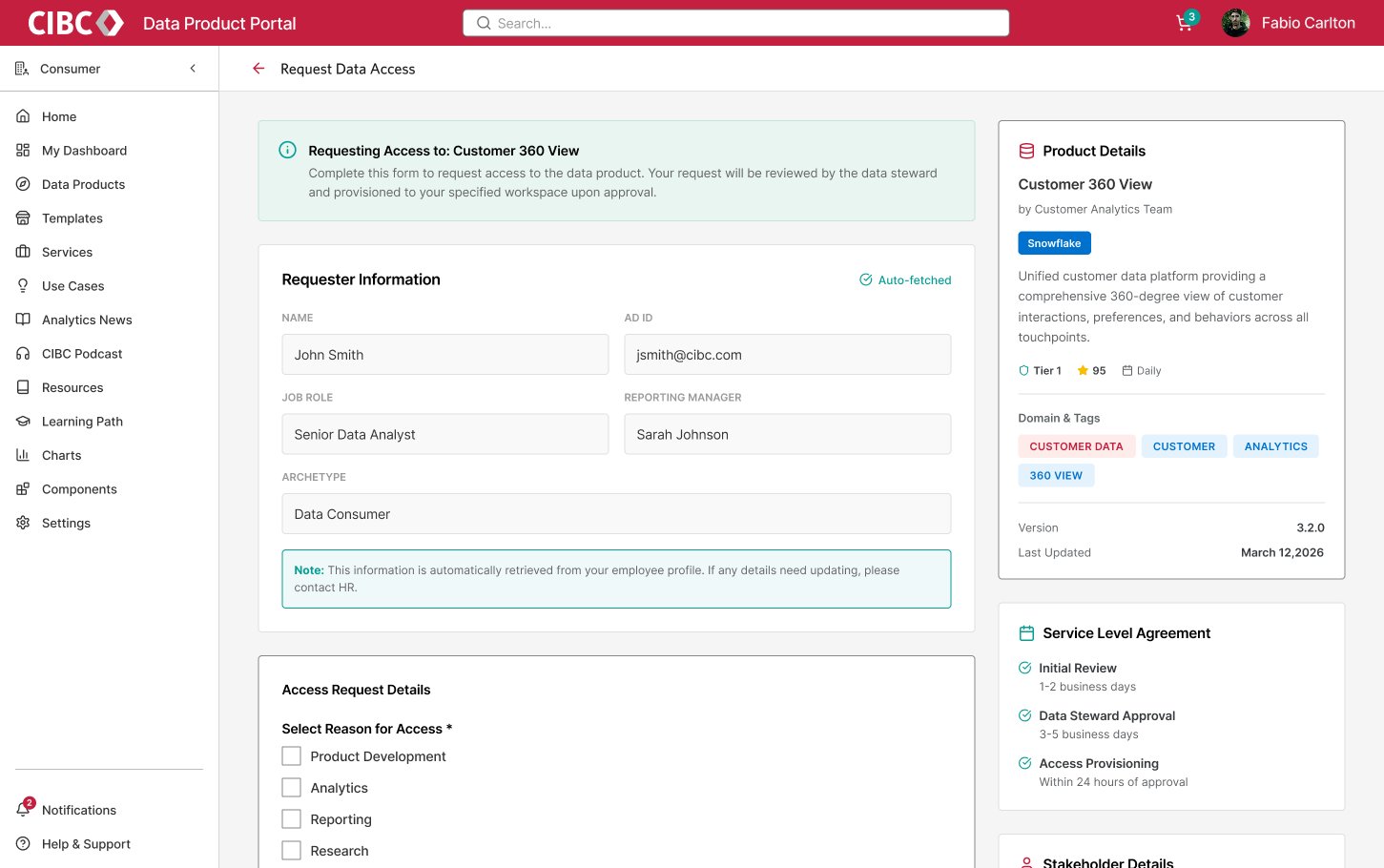
Requester details are auto-fetched from the employee profile (Workday / O365), so the user only states a reason for access. Product tier, score, and SLA sit alongside to keep the decision informed.
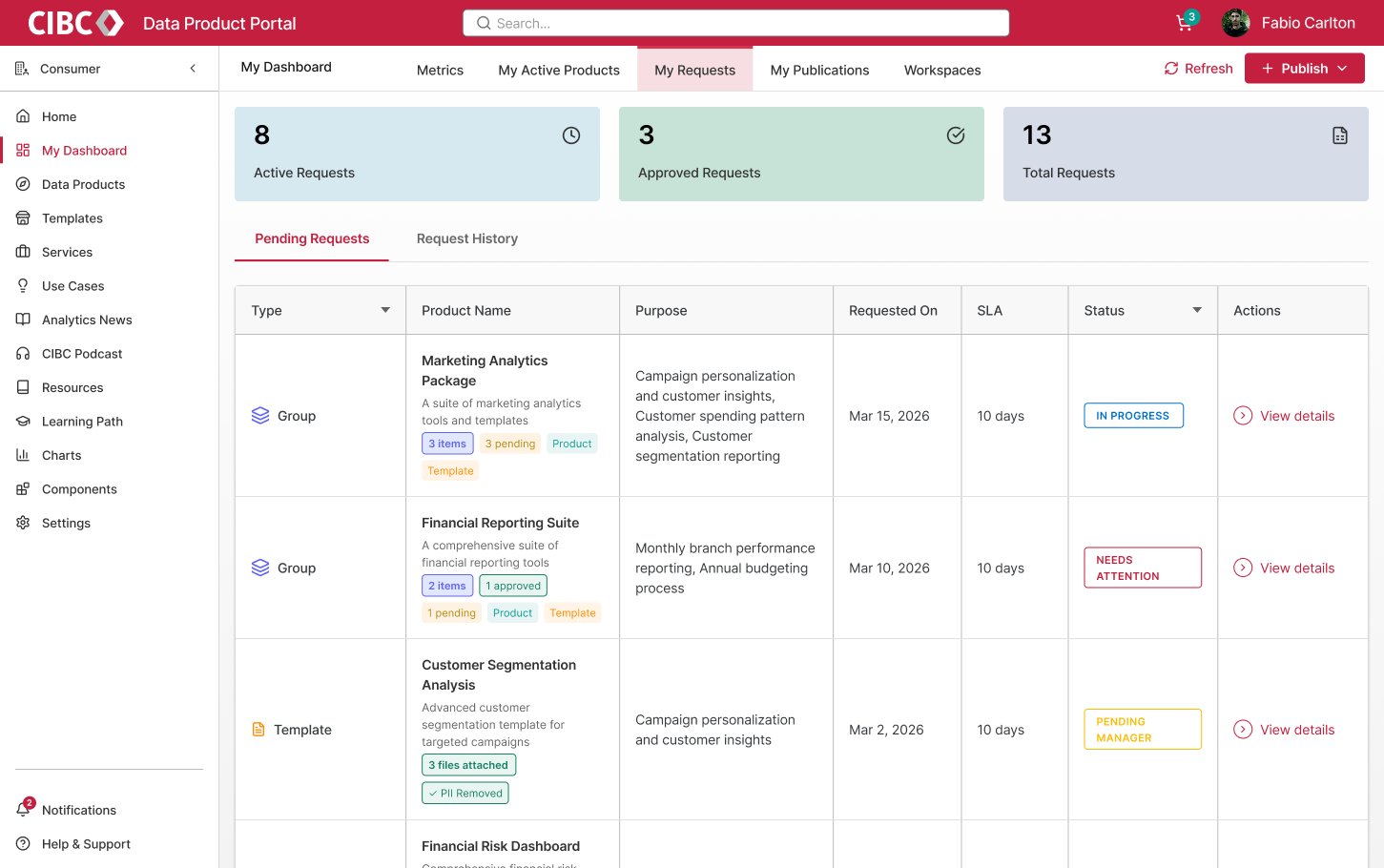
Bundled “Group” requests carry multiple products and templates as one item — each with its own status, SLA countdown, and PII-removed flag — replacing scattered, untracked tickets.
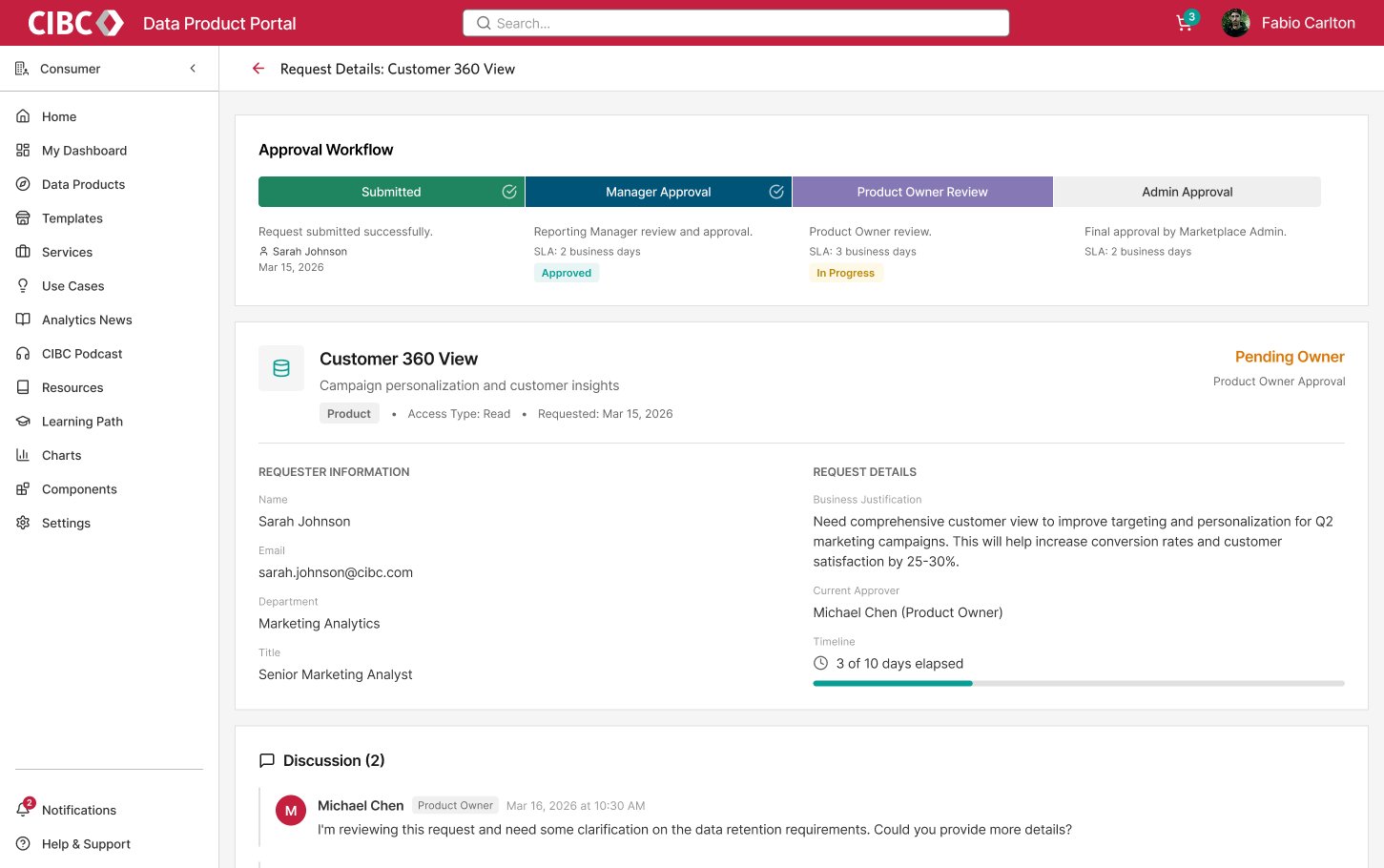
A four-stage stepper — Submitted → Manager → Product Owner → Admin — shows exactly where a request sits, each stage's SLA, and an inline discussion for clarifications. Governance stops being a black box.
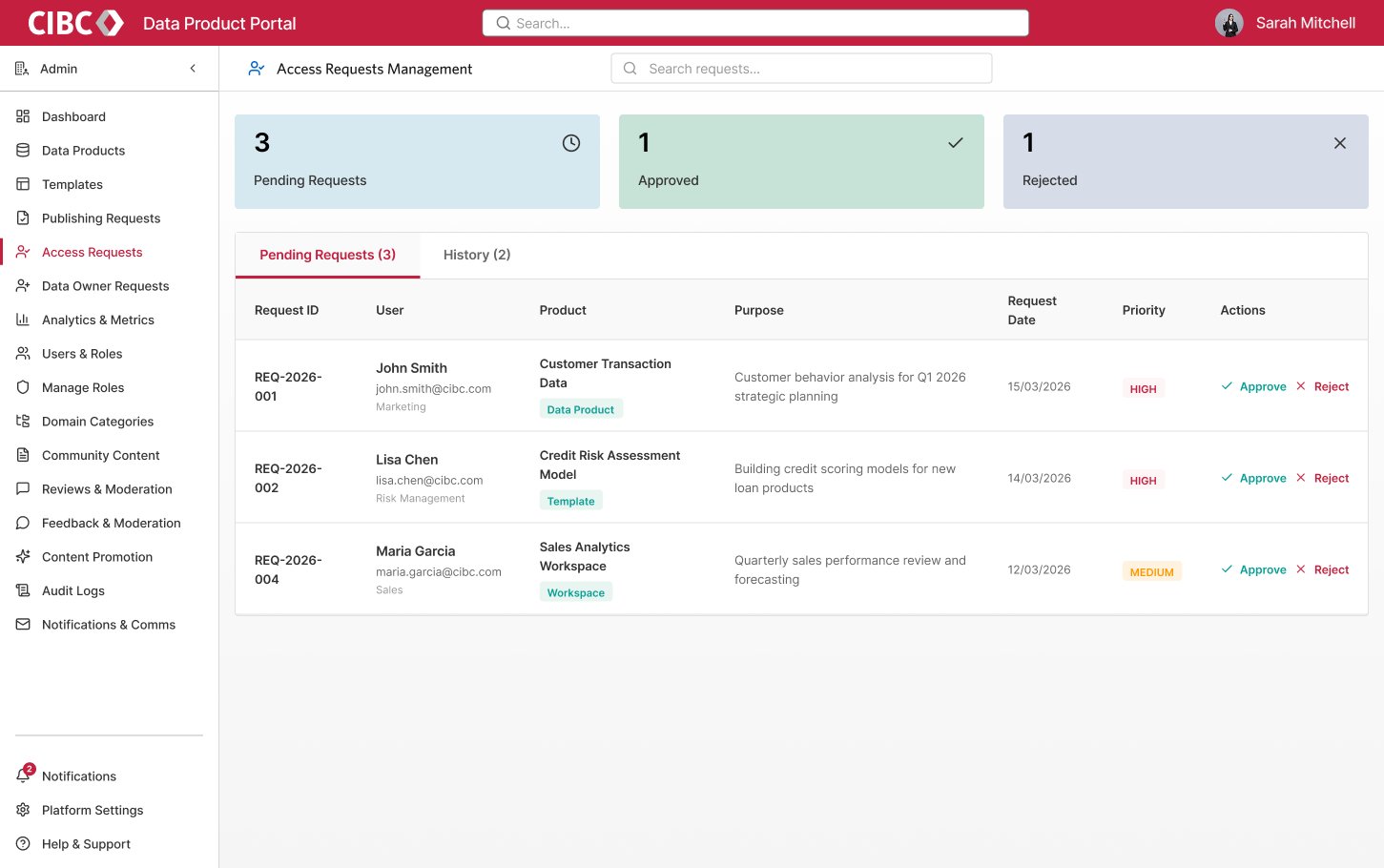
Stewards work a prioritized queue with one-click approve or reject, full requester context, and a governance rail spanning roles, domain categories, and audit logs — control they operate, not email.
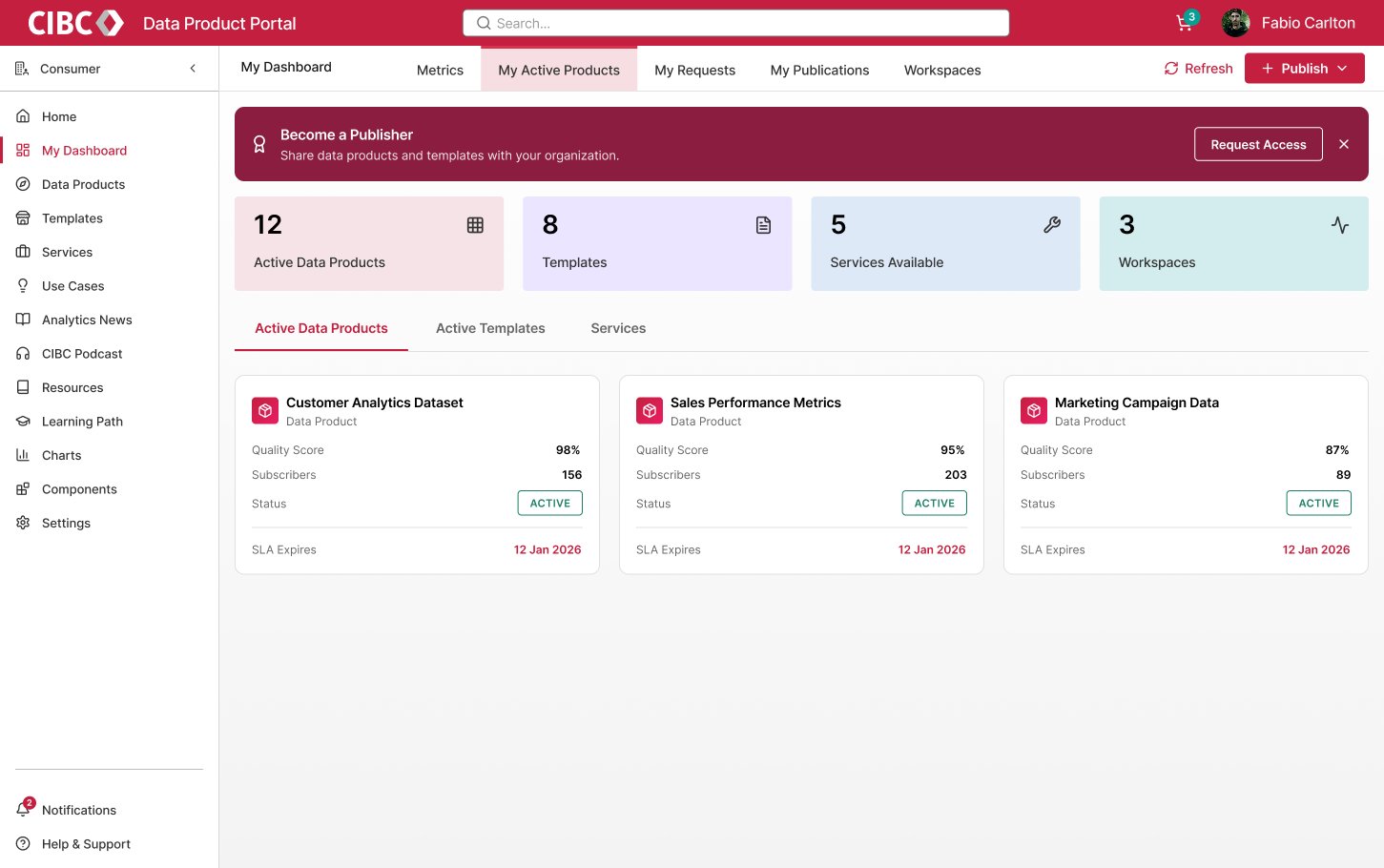
Each published product shows live quality score, subscriber count, status, and SLA expiry — and a clear path to become a publisher grows the pool of available data.
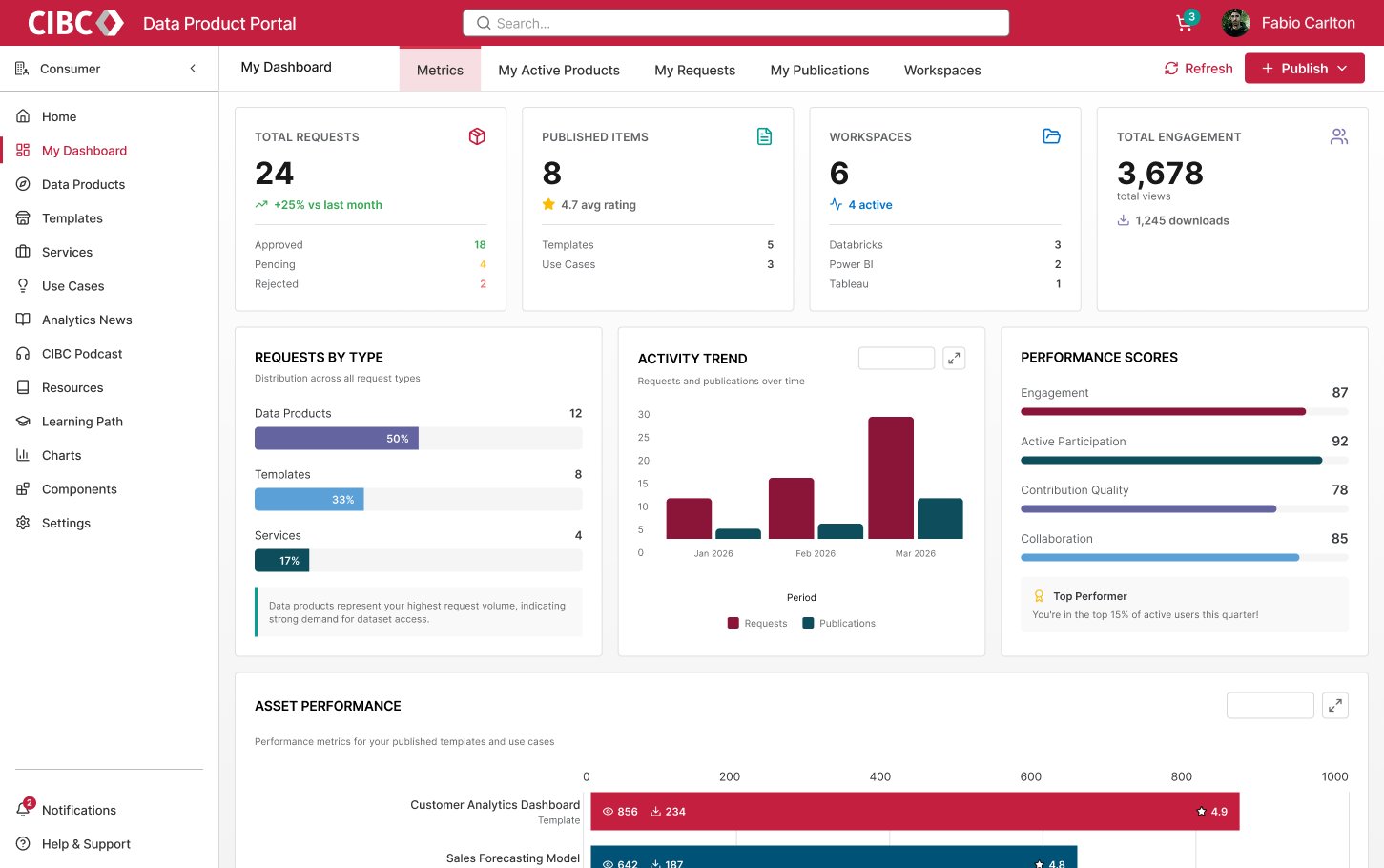
Request volume, engagement, contribution scores, and asset performance give each user a single place to track their activity across the marketplace.
Beyond discovery and access, the marketplace bundles services that compress time-to-insight: ready-made templates, expert build services, and a path to grow data skills.
Pre-built solutions for tools like Alteryx and Power BI automate repetitive tasks and expedite work.
Non-technical users can request build services from the EAPE team for specialized analytics projects.
A structured progression of courses helps employees build data skills, rewarding them with badges on completion.
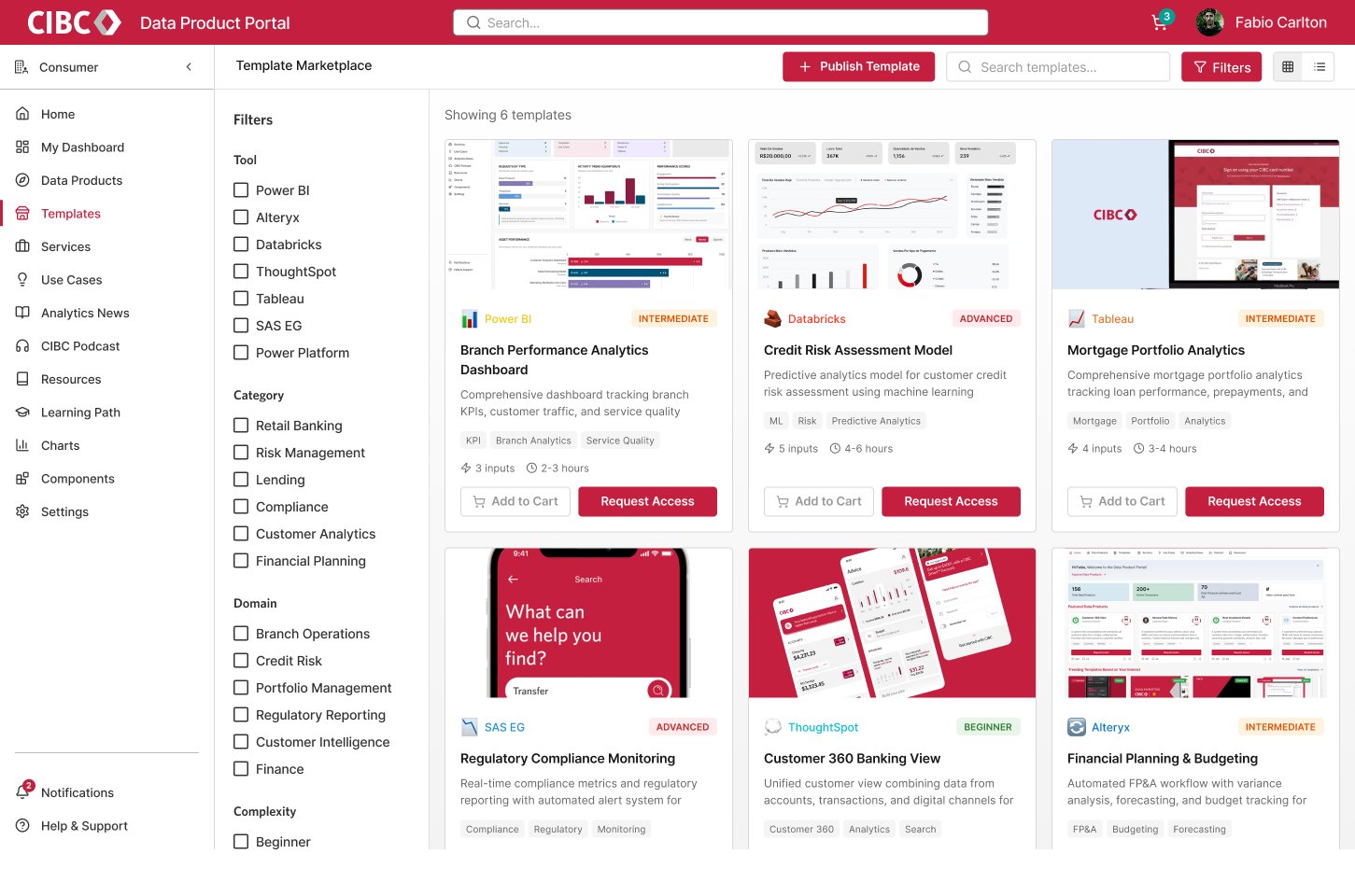
Pre-built solutions for Power BI, Databricks, Tableau, Alteryx and more are filterable by tool, category, domain, and complexity — each card showing inputs, build time, and skill level so teams reuse a proven workflow instead of starting cold.
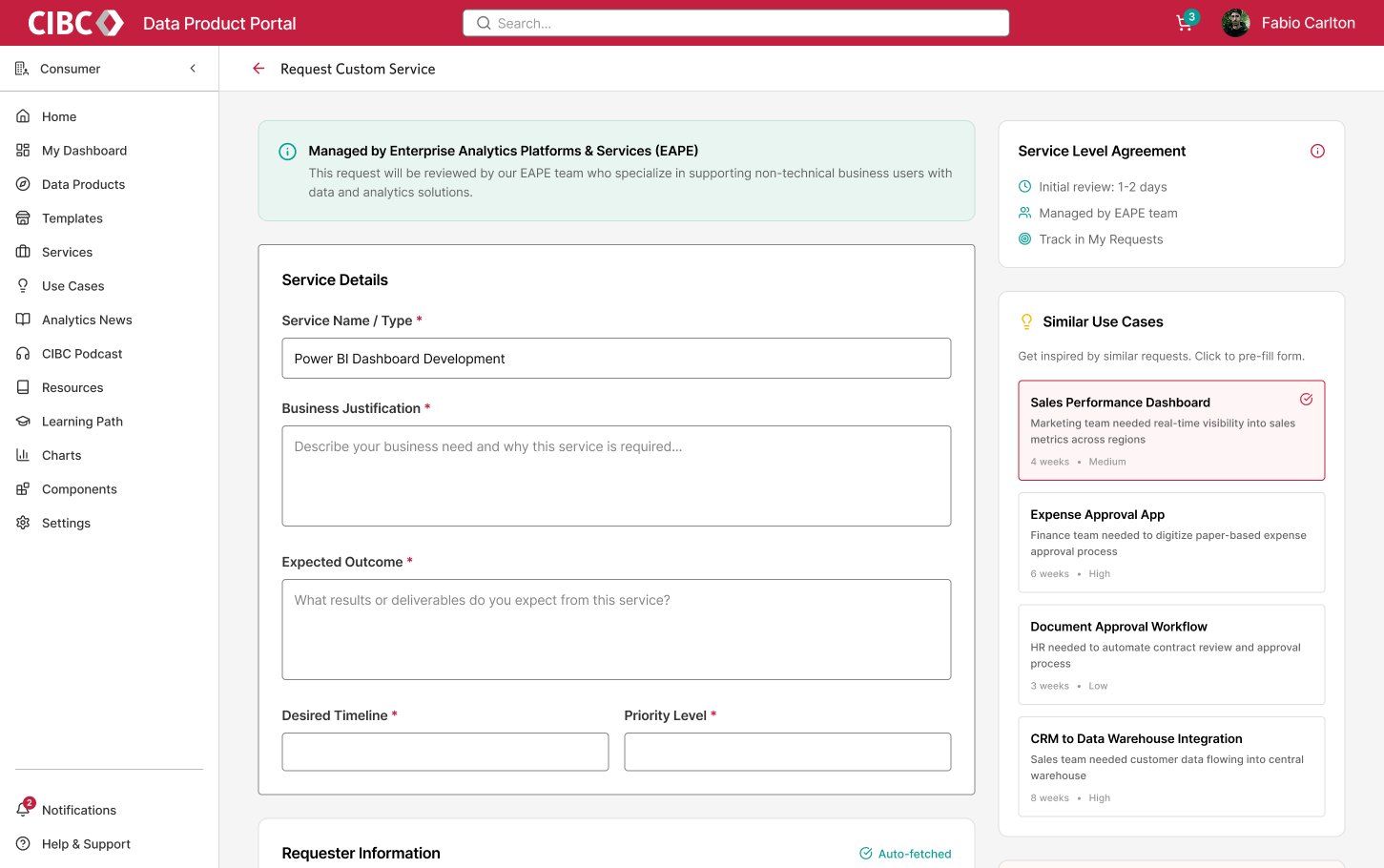
The “Our Services” flow lets business users request a custom build from the EAPE team, with similar past use cases offered to pre-fill the brief and an SLA shown up front. Requester details auto-fetch as before.
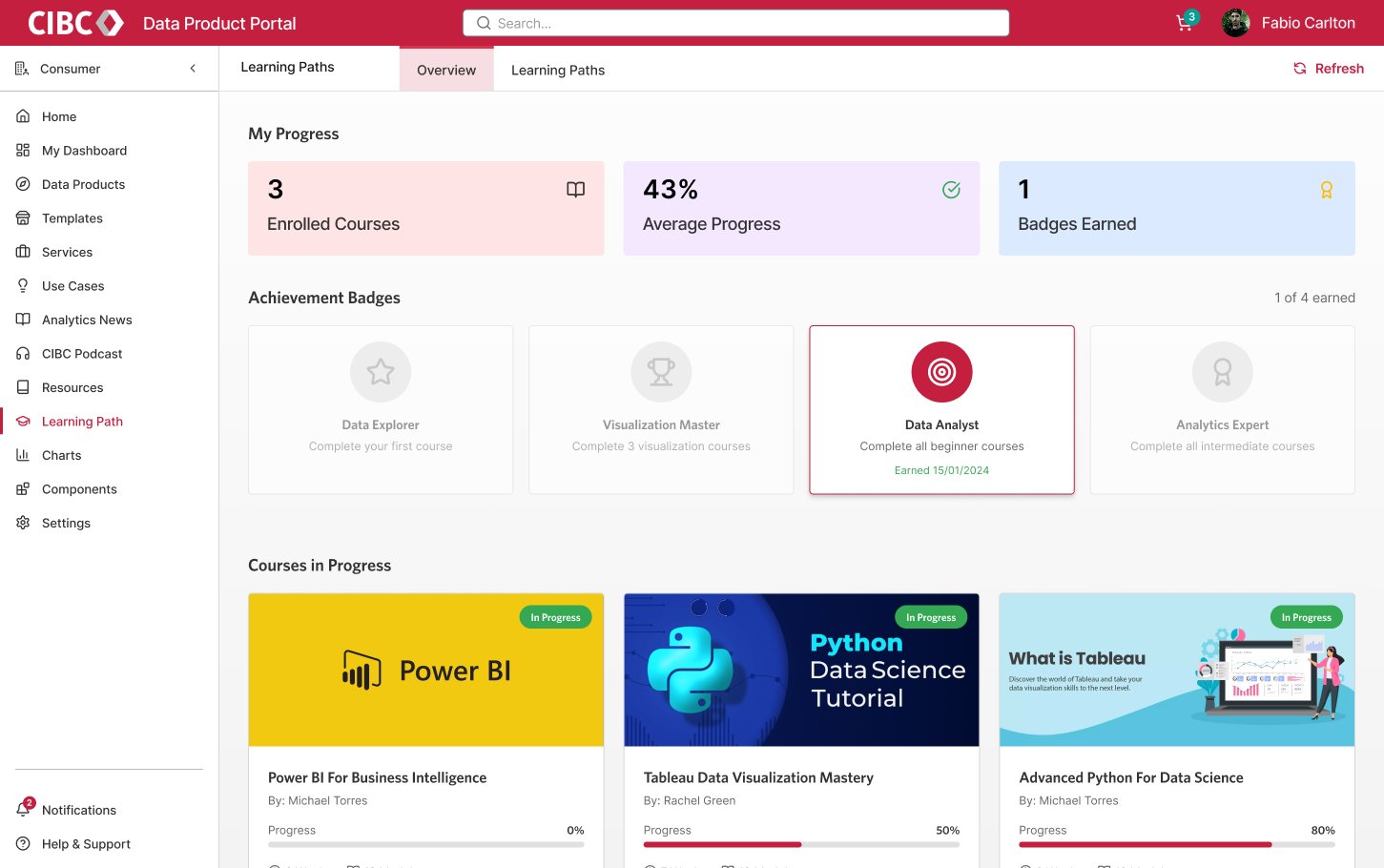
Enrolled courses, average progress, and achievement badges turn capability-building into a visible path — from Data Explorer to Analytics Expert — so the marketplace grows the skills to use the data it offers.
The marketplace shifted the organization's relationship with its own data across four dimensions:
Empowering data owners to publish their assets increased the overall pool of available, usable data.
Static and automated quality scores let consumers trust data before they used it — closing the “is this fit for purpose?” gap.
Templates and build services reduced time-to-market for critical analytics projects.
Automated user-profile syncing and standardized custom filters (SBU, LOB) created a consistent experience across the enterprise.